Controller Options
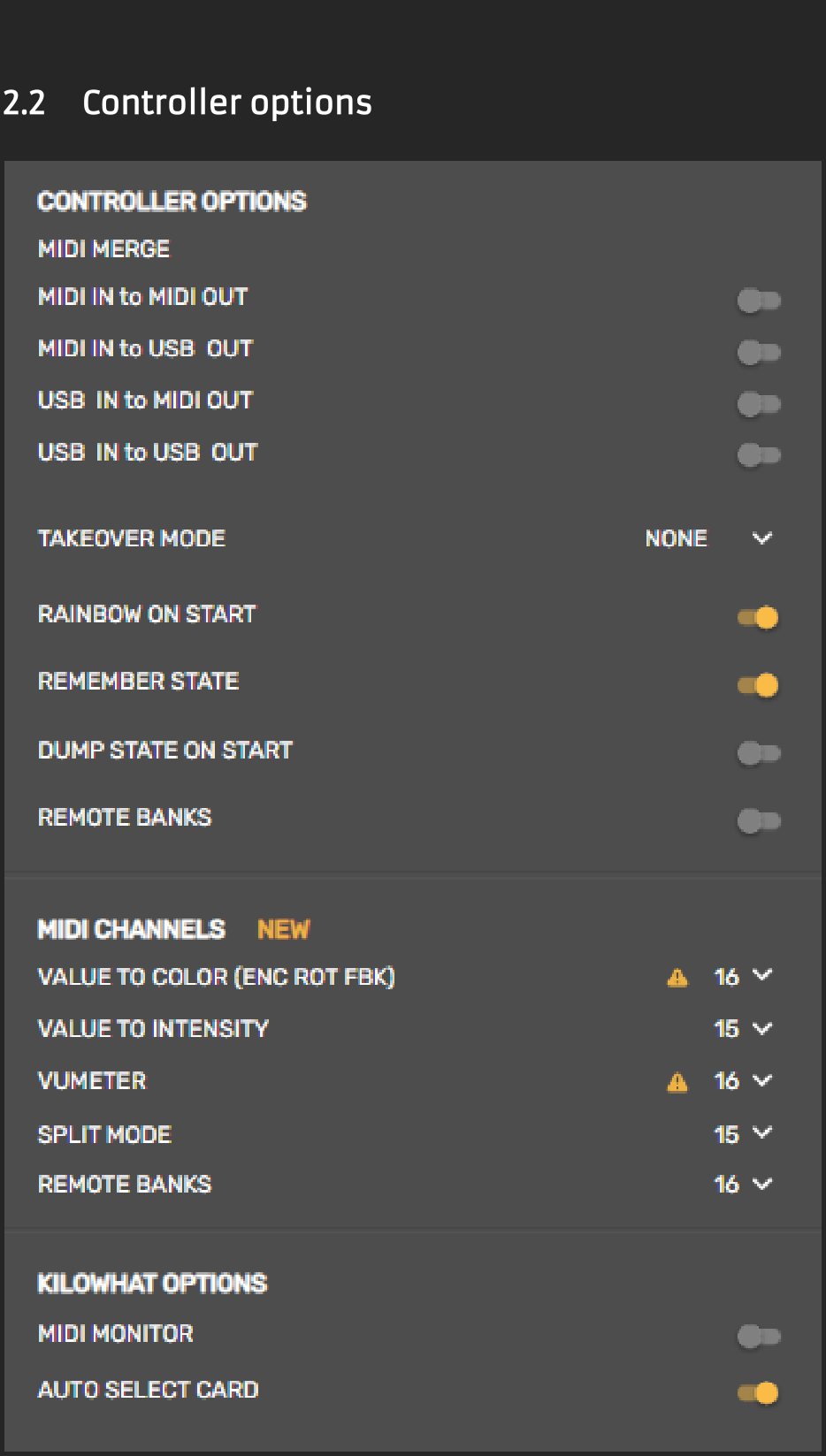
Controller Options define how your Yaeltex controller behaves with MIDI routing, analog component handling, startup behavior, and special MIDI channel assignments.
MIDI Merge
Section titled “MIDI Merge”MIDI merge allows your controller to act as a MIDI message merger. Messages received on input ports, along with data generated by your controller, are sent to output ports as configured.
Example use case: Connect a keyboard to your controller’s MIDI input, then send both the keyboard’s messages and your controller’s messages to a synthesizer for enhanced control.
Available Routing Options
Section titled “Available Routing Options”| Routing | Description |
|---|---|
| USB in to MIDI out | Merge data received from USB in and send to MIDI out |
| USB in to USB out | Merge data received from USB in and send to USB out |
| MIDI in to MIDI out | Merge data received from MIDI in and send to MIDI out |
| MIDI in to USB out | Merge data received from MIDI in and send to USB out |
Takeover Mode
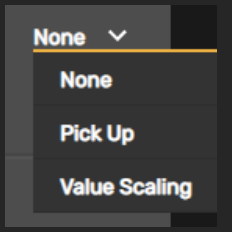
Section titled “Takeover Mode”Takeover mode affects how analog components (pots, faders, joysticks) behave when:
- Switching between different banks
- Receiving parameter value updates over USB and/or MIDI
When you switch banks or when a parameter changes directly in your DAW/synth, the physical position of your analog component may not match the current parameter value. Moving the component without takeover mode causes an audible “jump” in the value.
Available Modes
Section titled “Available Modes”| Mode | Behavior |
|---|---|
| None | Messages received will not affect analog component behavior |
| Pick-Up | The analog component won’t send messages until its physical position reaches (within a threshold) the updated parameter value. Once matched, it sends messages normally. |
| Value Scaling | The component sends messages immediately when moved, comparing hardware position to the updated parameter value and making them converge smoothly. When equal, it operates normally. |
Rainbow on Start
Section titled “Rainbow on Start”Enable or disable the rainbow LED animation that plays when you power on your controller.
Remember State
Section titled “Remember State”When enabled, the controller saves its state at regular intervals (currently every 10 seconds) and loads it every time the controller powers up. The status LED on the Yaeltex logo will flash to signal each save event.
Dump State on Start
Section titled “Dump State on Start”When enabled, the controller sends its initial state via USB or DIN5 port (depending on each component’s configuration) when powered on.
- If Remember State is also enabled: The dump includes encoder rotary positions, encoder switches, and digital components
- If Remember State is disabled: Only analog component messages are dumped
Remote Banks
Section titled “Remote Banks”When activated, bank changes trigger Program Change messages on the configured channel, with the program number corresponding to the bank number.
Additionally, receiving a Program Change message on the Remote Banks channel will switch to the corresponding bank.
Use cases:
- Recall a specific bank at a specific time during your performance
- Change banks on multiple controllers simultaneously with a single button press (MIDI chain your controllers)
MIDI Channels
Section titled “MIDI Channels”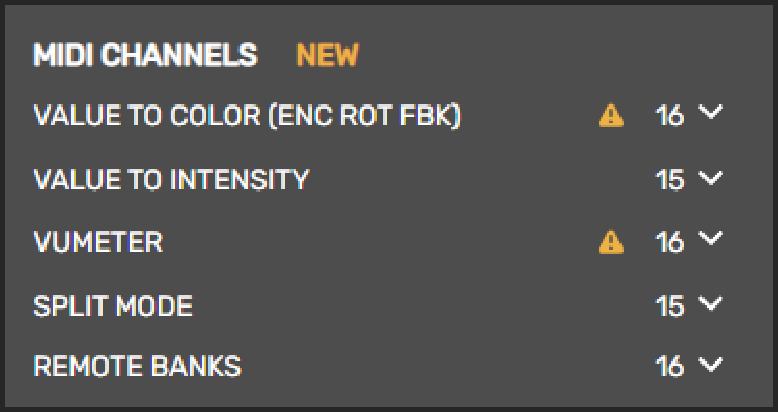
This section lets you assign specific MIDI channels for special features across different component configurations.
| Feature | Purpose |
|---|---|
| Value to Color (ENC ROT FBK) | Set encoder ring color based on incoming MIDI value |
| Value to Intensity | Set brightness for encoder rings, encoder switches, or buttons |
| Vumeter | Set VU meter level display in encoder rings |
| Split Mode | Second message channel for split analog components |
| Remote Banks | Send/receive Program Change messages for bank switching |
Related
Section titled “Related”- Devices and Refresh - Connect your controller
- Kilowhat Options - MIDI Monitor and Auto-Select Card
- Banks Overview - Learn about bank configuration