Devices and Refresh
The Devices section in Kilowhat Preferences allows you to select and connect your Yaeltex controller.
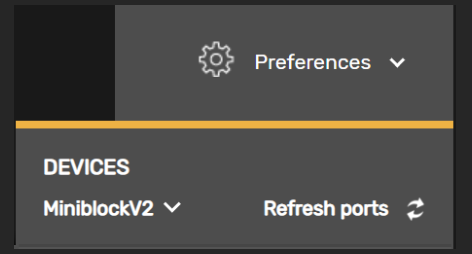
Selecting Your Device
Section titled “Selecting Your Device”Select the device that matches your controller’s name from the Devices dropdown. This setting allows Kilowhat and your controller to communicate with each other.
Refreshing Ports
Section titled “Refreshing Ports”If your controller isn’t appearing in the Devices list:
- Unplug your controller’s USB cable
- Replug the controller
- Click the Refresh ports icon to rescan available devices
Troubleshooting Connection Issues
Section titled “Troubleshooting Connection Issues”If your controller still isn’t detected after refreshing:
- Windows users: Each MIDI port can only be open in one application at a time. Close any other software that might have your controller’s MIDI ports open, then refresh ports or reload the site.
- Other platforms: Try the typical unplug-replug USB sequence and refresh ports or reload the site.
- Make sure you’re using a supported browser (Chrome, Firefox with WebMIDI plugin, or Edge).
Related
Section titled “Related”- Controller Options - Configure MIDI merge, takeover mode, and more
- Kilowhat Options - MIDI Monitor and Auto-Select Card settings